🧱 AI for Concrete Contractor
AI for Concrete Contractors - Flatwork Bids, Pour Delays & Change Order Summaries
Concrete work is pour-window sensitive and scope-heavy. i10X handles repeatable customer comms – call routing from the screed line, rebar/joint bid drafts, same-day change summaries, pour delay notices – so you can stay on pours, finishing, and bid sign-off.

Pour-day or estimate inquiry
Homeowner, GC, or sub asks about scope or schedule
Agent sorts it
New flatwork estimate, change order thread, pour delay, or callback?
You get a summary
Short brief or booked walkthrough on your calendar.
If you are looking at AI for a concrete company, the useful question is not whether another app can replace your takeoff software or dispatch board. It is whether customer comms – pour delay updates, rebar/joint bid language, same-day change summaries before set time – can run without pulling you off the screed or into the office at 9pm.
Three patterns that show up in concrete scheduling guides and flatwork estimating sources:
- Pour window reshuffles. Pour day rarely stays on the calendar you locked in Tuesday. A pump cancel, overnight rain, or ready-mix plant delay pushes today's mat to tomorrow and the flatwork behind it with it. Projul and similar scheduling guides put pour sequencing – crew, pump, weather window, cure time – at the center of last-minute reshuffles. Subs and homeowners call for updates while you are still trying to decide whether the slab can strip in time for the next pour.
- Rebar and embed change orders. Rebar and embed conflicts show up when the drawings meet the forms, not when you priced the job. Rhumbix and field guides on construction change orders cite unforeseen embed hits as a top driver of same-day scope adds – and summaries that do not reach the GC before set time turn into disputed extras after the truck is on the way. You are measuring conflict points while the clock on pour window is running.
- Flatwork scope gaps in bids. Flatwork phone quotes on square footage miss what a walkthrough reveals: joint layout, rebar mesh vs #4 bar, and finish tier from broom to exposed aggregate. Messerly Concrete and similar execution-first contractors flag scope clarity before pour day as the difference between margin and a homeowner arguing about lines that were never in the bid. When rebar and finish allowances were assumed instead of written, extras get disputed on the day the screed is out.
You’ve heard you need to “do something with AI.” Fair. Here’s what that looks like for a one-van outfit, not a corporate IT project.
Help with the comms layer, not a new concrete platform
i10X connects to your phone line, Gmail, calendar, QuickBooks, and Google Docs. It can route calls from the pour line, draft flatwork bids with allowance lines, turn field notes into change summaries, and send pour delay and cure-window notices.
You keep Projul, Foundation, Concrete Hub, or whatever drives estimates and crew scheduling. i10X sits on the customer-facing side: messages, drafts, reminders. Final bids and scope approvals stay with you unless you choose otherwise.
One flatwork contractor told us pump-cancel season turned his phone into a second job site – GCs asking if today's mat was still on, homeowners wanting a new pour date, subs needing strip-time confirmation. Offloading delay notices and rebar conflict summaries did not fix weather – but it returned a few hours a week for walkthroughs only he could price.
What i10X can do
What i10X can run on rules you set:
Screed-line call routing
Flatwork estimate triage, GC submittal threads, and pour-day callbacks scoped while you are on the finish pass.
Flatwork bid drafts
Walkthrough notes become bids with rebar, joint layout, and finish tier lines for your review.
Same-day change summaries
Embed and rebar conflict notes reach the GC as written drafts before set time.
Pour delay and cure notices
Weather, pump, and strip-window reshuffles get drafted updates before subs and homeowners fill the gap with calls.
One concrete crew, fewer surprises before the truck arrives
Not a magic pour-volume jump – just fewer tasks that pull you off the screed or into evening bid rewrites.
- Pump canceled at 6am; three voicemails before you have a new window to send anyone
- Phone quote on square footage; rebar mesh dispute adds $1,200 nobody expected on pour day
- Embed conflict at post three; GC hears about it after the truck is loaded
- GC submittal and ready-mix invoice sitting in the same unread Gmail pile
- Pour delay notice draft ready; calendar holds updated before the first homeowner callback
- Walkthrough bid with rebar, joint, and finish allowance lines waiting in Google Docs Tuesday night
- Change summary sent to GC before set time; reply says approved, proceed
- Flatwork leads summarized at the top of Gmail with suggested walkthrough replies
Five common starting points for concrete contractors. i10X can do more once connected – these are what owners usually set up first:
Examples of what i10X can handle

Route pour-day and flatwork estimate calls
A new patio estimate, a GC submittal question, and a homeowner callback from last week's driveway pour need different handling – and you are on the screed pass. i10X can answer or take a message, ask basic scope questions, and offer walkthrough slots from your calendar while you stay with the finish crew.
3 hrssaved / week

Draft flatwork bids with rebar and joint lines
After a walkthrough, allowance lines for rebar, control joints, and finish tier often wait until evening. i10X turns field notes into a draft bid in Google Docs – square footage, edge forms, and explicit rebar/joint/finish lines so scope gaps are priced before the truck is ordered.
4 hrssaved / week
Same-day change order summaries from site notes
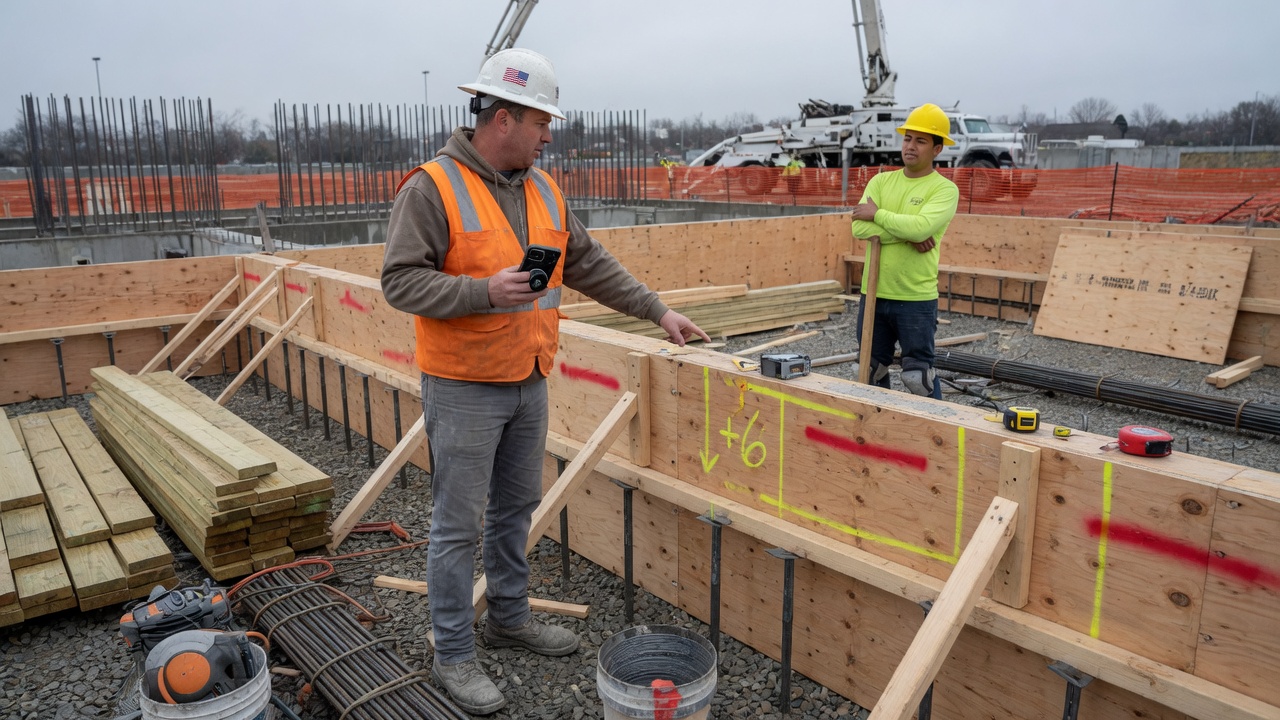
Embed conflicts and rebar hits need a written summary before extra work starts – especially on commercial pours where the GC expects same-day documentation. i10X turns voice notes and photos into a change summary draft for GC approval, with conflict location and proposed scope add spelled out.
3 hrssaved / week

Pour delay and cure-window notices
Rain push, pump cancel, or cure-time rules that block tomorrow's strip all trigger the same homeowner and sub calls. i10X drafts pour delay and reschedule notices with revised window dates, updates calendar holds, and logs what went out – so you are not rebuilding the same update from the truck between loads.
3 hrssaved / week

Sort GC submittal and homeowner flatwork leads
GC bid invites, homeowner web form fills, and ready-mix invoices land in the same inbox as pump confirmations. i10X can label real flatwork leads, draft booking replies, and ask for finish tier and lot photos – so you open Gmail to summaries, not a mixed pile after a long day on the screed.
2 hrssaved / week
Ready-mix availability and weather windows are real constraints in this trade; i10X does not solve those. It mainly reduces the manual comms and documentation work that falls on the same person running pours and the finish crew.
Works with your stack
No new software to learn. Phone, inbox, calendar, books, and bid docs – where most concrete crews already coordinate GCs, homeowners, and pour-day scheduling. i10X connects to the tools you already run:
Why concrete contractors choose i10X
Built around concrete pour workflows
Flatwork bids, rebar change summaries, pour delay notices – not generic same-day dispatch for every trade.
Learns how your company talks
Tone for a new patio estimate vs a GC change-order thread can differ; you set that during setup.
You approve what matters
Bids, change summaries, and customer-facing messages can stay ask-first until you trust the defaults.
Getting started takes about 10 minutes
No tech skills, no setup fee, no new app to figure out. Three steps and you’re live:
Connect your tools
Click to link your phone line, inbox and calendar – the same secure login your bank uses. Nothing to install.
Answer 3 questions
Tell it how you talk to customers and what it’s allowed to do. It learns from your past quotes and messages.
It starts working
From minute one it answers calls and drafts replies for your approval. Most concrete contractors see a booked job the same day.
What usually changes first
Most contractors start in ask-first mode: drafts and summaries land on your phone, you edit or send. That alone cuts down evening bid-email sessions.
Once pour delay notices and flatwork bid templates run on a schedule you defined, GCs and homeowners stop filling the gap with check-in calls during weather reshuffles.
None of this replaces a foreman or estimator. It clears comms and documentation work off the owner so pours, finishing, and bid sign-off get more of the week.
Customer-facing actions need your OK by default
Bid drafts, change summaries, and outbound messages can wait for approval. Turn on auto-send for specific message types once the wording matches your company.
Your data stays in your tools. We do not train on your bid files or customer threads. Revoke access in one step.
I still walk every flatwork job before we sign a bid. But I am not rebuilding rebar and joint allowance language from scratch at night anymore, and GCs get a change summary before set time instead of after the truck is rolling. Pour-day callbacks get routed so I am not stopping the screed for a patio estimate while we are on the finish pass.– Marcus Delgado, Phoenix, AZ · 14 years pouring residential flatwork and small commercial mats
Frequently asked questions
Can it draft pour delay notices when weather or pump issues push the schedule?
You log the delay reason and revised pour or strip window. i10X drafts homeowner, GC, or sub notices with the new dates and access notes, updates calendar holds, and waits for your approval before anything sends – so you are not rebuilding the same update from the truck between loads.
Will it add rebar, joint layout, and finish tier lines to flatwork bids?
You send walkthrough notes: slope, rebar spec, joint spacing, finish tier, pump or buggy access. i10X drafts a bid in Google Docs with explicit allowance lines for rebar, control joints, and finish upgrades so scope gaps are priced before pour day, not argued on the screed pass.
Does it turn rebar and embed conflicts into same-day change summaries?
Voice notes and field input on embed hits or rebar revisions become a change summary draft with conflict location, proposed fix, and labor/material lines. You review before send to the GC; documentation reaches them before set time, not after the truck is on the way.
Can it separate new flatwork estimates from pour-day GC threads?
New patio and driveway estimates get a different intake script than active-pour GC submittal questions and homeowner callbacks. i10X routes each type per your rules – estimates book walkthrough slots from your calendar, pour-day threads log for callback when you are off the screed.
Does it sort GC submittal leads from ready-mix and pump supplier email?
GC bid invites, homeowner web forms, and supplier confirmations often share one inbox. i10X labels real flatwork leads, drafts replies with finish tier and lot-photo questions, and surfaces summaries at the top of Gmail so you are not digging through plant invoices after a full day on the pour.
Try it on your next flatwork bid
Connect your tools, skim a week of drafts and summaries, and decide whether the comms load is lighter.
Start free trial